BLOCK FLOW · WOOD EDITION · GAME GUIDE
Block Flow · Wood: make room for the next piece
A 16-column, 27-row falling-block game in warm wood colours. Move and rotate each piece, fill horizontal rows, and leave room for the next piece to enter.
Move, rotate and drop
- Use ← and → to move sideways, ↑ to rotate clockwise, ↓ to lower, and Space to hard drop. Escape pauses or resumes.
- On touchscreens, use the large buttons or drag sideways across the board. Tap the board to rotate; swipe down to drop.
- The outlined landing spot shows where a hard drop will finish. Rotation succeeds only when the rotated piece fits; there is no hold control.
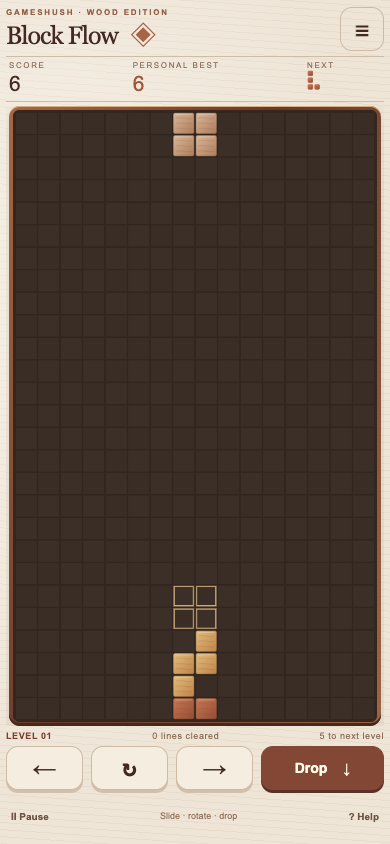
Rows, gravity and points
Each placed cell earns one point. Only full horizontal rows clear; columns do not. A simultaneous wave of one, two, three or four rows adds 10, 30, 60 or 100 points. After a clear, individual cells fall into gaps and can form another clearing wave. Bonus points are calculated for each wave separately.
See one wave versus two waves for a worked scoring example.
Five lines is a milestone
Clearing five lines celebrates your first milestone and may offer an optional browser installation. It does not finish the endless game. Levels rise at 5, 12, 20, 30, 45, 65, 90, 120 and 160 total rows. A blocked centre spawn ends the run.
Pause now, return later
The Wood edition saves the current board, score, next piece and random-generator state locally. Leaving pauses play; reopening asks you to resume. The menu lets you start a fresh run with confirmation. Your best score and sound choice are also local. Sounds start off.
If this browser contains a valid previous Block Flow best, Menu offers an explicit Import previous best action. Import takes the higher score without changing the original game’s data. Old unfinished boards cannot be imported. Random piece sequences differ, so a historical best does not imply identical difficulty.
There is no account or cross-device sync. Private browsing, clearing site data or unavailable storage can affect saves. Multiple tabs can replace the active run with the most recent writer; use one game tab for a run.
Offline play and installation
Visit the game online and wait for Menu to show its offline copy is ready. The game and this guide can then reopen from their own cache. Use the optional installation action or your browser’s Install app/Add to Home Screen menu where supported. Installation does not sync browser and Android saves.
Controls and access
The game supports keyboard and touch controls, but the canvas does not provide a complete nonvisual board. Use Help for a short rule reminder or Menu for sound, installation and run controls.